Baby Translator & Cry Analyzer
- 3.2
- Rating
- 500.00K
- Installs
- Free
- Price

 Analysis by App-foxy
I approached Baby Translator & Cry Analyzer as a practical parenting tool rather than a magical interpreter. Its idea is simple: use an AI-based analysis to help a parent think about why a baby may be crying. That can sound reassuring during a tiring evening, but the useful question is whether it fits into real household routines without creating more confusion. My experience is that it is best treated as an extra clue, not as a replacement for watching your child, checking basic needs, or trusting professional medical advice.
The app sits in the parenting category and comes from Bankrot Studio. It is free to install, with optional purchases ranging from $1.99 to $19.99 per item, so it is easy to try without committing immediately. It is rated for Everyone, which matches its family-oriented purpose. The current version is 1.02.10, and it runs on devices using Android 5.1 or later. Those details make it accessible to many older phones, although compatibility alone does not guarantee a smooth experience on every device.
How Baby Translator fits into a real parenting routine
I find this app easiest to assess when I picture it as one small step in a much larger routine: first check the baby, then decide whether another perspective would help. That keeps a quick analysis from becoming a substitute for noticing context, especially when the room is noisy or the cry changes. It also makes the next question more practical: what should I look for in the app’s controls and choices before using it regularly?
You May Also Like

 Blood Strike: 2.5 Anniversary
Blood Strike’s Loadouts Turn Every Drop Into a Tactical Gamble
A close look at Blood Strike’s custom loadouts: how fast access to signature weapons reshapes its battle royale rhythm, rewards preparation, and narrows the gap between fights.

 Pandora - Music & Podcasts
Pandora’s Music Is Easy to Start, but Harder to Recover
Pandora’s strength is its low-effort path from a seed to a station. Its weak spot is how much confidence it asks you to place in connection, setup, and quiet recovery.

 8 Ball Pool
 Is Built on Rivalries, Rematches, and Routine
A close look at the rivalries, rematches, shared routines, and unanswered safety questions that turn a quick pool match into a persistent mobile community.

 Samsung Music
’s Quiet Strength Is Playing What You Already Own
Its reach comes less from spectacle than from dependable access to a personal library. That simplicity is both the app’s strongest retention engine and its ceiling.

 AccuWeather: Weather Radar
AccuWeather Review: A Quick, Clear Forecast for Everyday Decisions
For everyday plans, the best forecast is the one you can understand quickly. AccuWeather makes rain timing, radar, and local conditions easy to act on, with a few trade-offs.

 Hill Climb Racing
Why Hill Climb Racing Still Turns Crashes Into One More Run
A tiny car, a bumpy hill and one more upgrade: Hill Climb Racing keeps resurfacing because its simple chaos makes every near-miss feel personal.
More From Our News Desk



What the app is actually useful for
The strongest use case is the moment when a parent has already checked the obvious possibilities and still wants another perspective. A baby may have been fed, changed, held, and placed somewhere comfortable, yet the crying continues. In that situation, an analysis tool can help organize your thinking. It may encourage you to pause, listen carefully, and consider whether the sound seems connected to hunger, tiredness, discomfort, or a need for attention.
I would not use the result as a definite answer. Baby crying is not a fixed language with one universal translation, and the same child can sound different from one day to the next. The app’s AI angle is therefore more helpful as a prompt for observation than as a diagnosis. That distinction matters, especially for first-time parents who may be tempted to treat a confident-sounding result as proof that everything is fine.
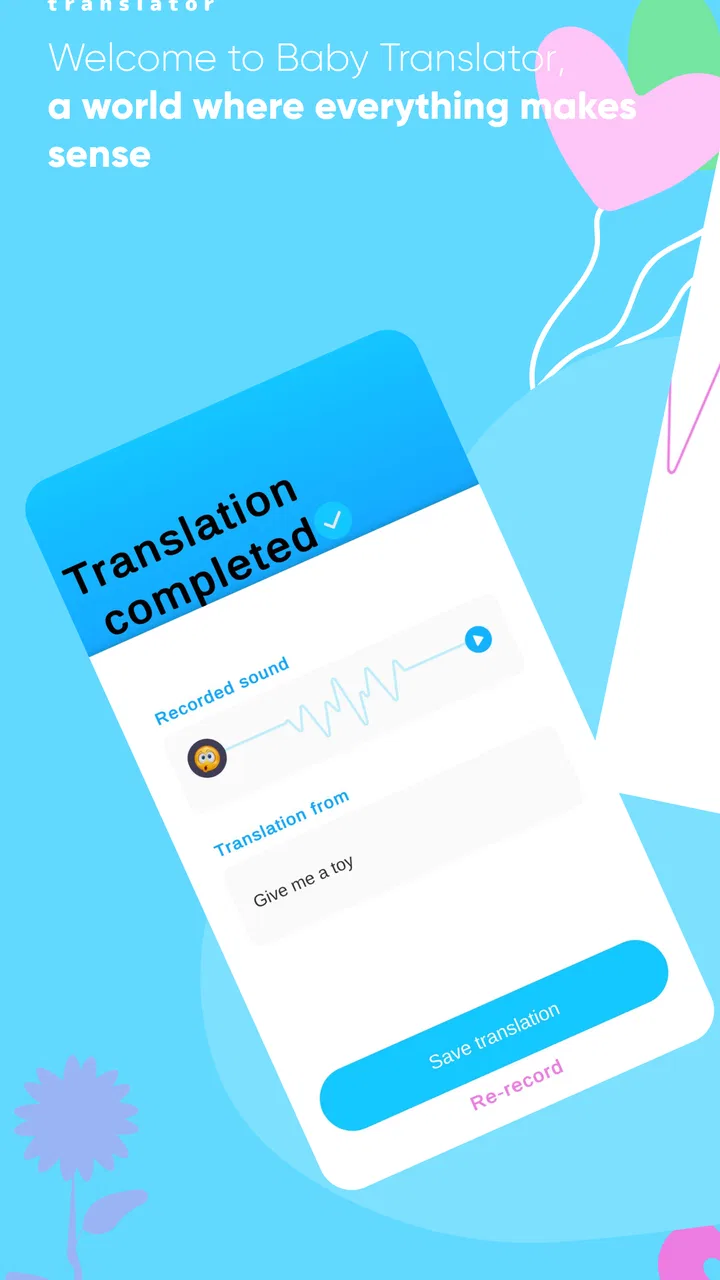
A realistic evening example shows where it can fit. Imagine your baby starts crying shortly after a feed. You check the diaper, temperature, clothing, and sleeping space, then record or analyze the cry in a quiet moment. If the app points you toward tiredness, you might reduce stimulation and try your normal settling routine. If the result suggests discomfort, you can recheck clothing, position, or feeding-related issues. The value is not that the app makes the decision for you; it gives you one more structured question to ask.
Why speed matters more than clever wording
When a baby is upset, a parent does not want a long setup process or an answer that arrives after the situation has changed. The perceived speed of an AI tool depends on the phone, the recording conditions, and the way the app handles the audio, so I would keep expectations moderate. The important test is whether you can move from opening the app to a usable result without turning the process into another task.
For the best chance of a useful response, I would prepare before the next difficult moment. Keep the phone charged, open the app once when the baby is calm, and become familiar with the recording flow. This is a small but important tip: learning the interface during a crisis makes the tool feel slower than it really is. A parent who already knows where to begin can concentrate on the child instead of searching through screens.
Background noise is another practical factor. A television, running extractor fan, older sibling, or crowded room can make any cry analysis harder to interpret. I found the most sensible workflow is to move a short distance away from the noise without separating yourself from the baby, capture only what is needed, and then compare the app’s suggestion with what you already observed. That approach treats the output as context-sensitive rather than universal.
Handling repeated use during difficult days
Heavy use is where the difference between a helpful experiment and an exhausting habit becomes clear. Parents may be tempted to analyze every cry, especially during a long unsettled period. I would resist that. Repeated checks can create a loop in which the app produces another suggestion, the suggestion creates doubt, and the parent keeps recording instead of responding to the baby.
A better workflow is to use it at decision points. Try it when the usual checks do not explain the crying, when you are comparing two plausible causes, or when you want to record your own observations for later discussion. Avoid using it as a timer that demands an answer after every sound. Babies often cry while changing between needs, and an isolated clip may not represent the whole situation.
This is also where resource demands become relevant. Any app that works with audio can be affected by battery level, available storage, background activity, and the age of the device. I would not leave it running continuously. Use short sessions, close it when finished, and keep the phone available for the more important tasks of calling family, contacting a doctor, or using emergency services if the situation requires it.
Older hardware may also make the experience feel less immediate than it would on a newer phone. The minimum operating-system requirement is Android 5.1 or later, but a device that technically qualifies may still have limited memory or modest processing power. That does not make the app unusable; it simply means parents with older phones should test it during a calm period instead of assuming it will perform perfectly during a stressful night.
Stability and recovery after interruptions
Reliability in a parenting app is not only about whether it opens. It is about how well the routine survives interruptions. A baby may stop crying, a call may arrive, the phone may lock, or a parent may need to put the device down immediately. I would judge the app by how easy it is to return to the task without losing track of what I was doing.
That is why I recommend keeping the process deliberately simple. Do not build a complicated record of every result unless you have a clear reason. If the app is interrupted, start again with a fresh observation rather than assuming the previous attempt still describes the baby’s current state. This recovery habit is more dependable than trying to preserve a questionable analysis through a changing situation.
Stability can also be affected by the environment. A weak connection, aggressive battery management, or a phone that is already busy with other apps may make an AI-based process feel inconsistent. I cannot treat every delay as a fault in the app itself, but I can say that parents should have a backup routine. The backup is not another specialized translator; it is the familiar checklist of feeding, changing, temperature, comfort, sleep, and signs that call for medical help.
One useful recovery technique is to write down the surrounding circumstances in a note after the event: when the baby last fed, whether the room was noisy, and what calmed them. This lets you compare the app’s suggestions with real outcomes over time. It also prevents the tool from becoming the only record of what happened. The most valuable pattern may come from your own observations rather than from a single AI interpretation.
Device limits parents should consider
The app’s broad operating-system support is welcome, particularly for families using an older spare phone. Still, a parenting tool is only convenient if the device is available at the right moment. A phone kept in another room, protected by a low battery, or slowed by many background tasks will not help much during a sudden crying spell.
I would make three practical checks before relying on it. First, confirm that the phone can run the current version comfortably rather than merely meeting the operating-system requirement. Second, test audio capture in the rooms where you normally care for the baby. Third, check that the device remains usable while you hold or comfort the child. These are simple checks, but they reveal more about day-to-day suitability than an installation alone.
Resource-conscious use is especially sensible if the phone is shared with a partner or used as the household’s main communication device. Do not let an analysis session interfere with an urgent call or leave the battery drained before bedtime. If your phone is already unreliable, an app that depends on timely recording may add friction instead of removing it.
The free entry point is helpful for testing this fit. I would try the basic experience during ordinary conditions before considering any optional purchase. Since individual items cost between $1.99 and $19.99, the sensible question is not whether the price seems small or large in isolation, but whether the app consistently adds value to your routine. A paid feature cannot compensate for a phone that struggles with recording or a workflow that makes you more anxious.
How it compares with ordinary alternatives
The usual alternative is not another AI product. It is a parent’s routine: observe the baby, check immediate needs, try a calming method, and ask a health professional when something seems unusual. That approach is slower in the sense that it does not produce a neat interpretation, but it uses more information than a short sound clip. You can see body language, feeding behavior, breathing, skin color, movement, and the wider context.
Baby Translator & Cry Analyzer is more useful when you feel stuck between several reasonable possibilities. It introduces structure at a moment when tiredness can make every cry sound the same. It is less useful when the baby shows warning signs, when you need medical guidance, or when the main problem is not understanding the cry but soothing the child safely.
Compared with simply searching the internet, the app has the advantage of focusing your attention on the current sound rather than presenting a long list of possible causes. The trade-off is that a search can include more detailed guidance and medical context, while an AI interpretation may feel more personal than it really is. I would use neither as a substitute for professional advice, and I would avoid searching in a panic when calling a qualified clinician is the safer choice.
Compared with a baby monitor, this app serves a different purpose. A monitor helps you observe over time and notice patterns in sleep or activity; a cry analyzer attempts to interpret a particular sound. Families who mainly need reliable observation may get more practical value from their existing monitor. Families who already observe well but want an additional prompt may find this app more interesting.
Who should try it, and who should skip it
I can recommend trying it to parents who enjoy practical experiments, understand that AI suggestions are approximate, and want a quick way to organize their thoughts during ordinary unsettled moments. It may also suit caregivers who share responsibility and want a common starting point for discussing what they have noticed, rather than relying on vague impressions.
I would skip it if you are looking for a medical diagnostic tool, a guaranteed translation of every cry, or a replacement for hands-on care. I would also avoid depending on it if your phone is old enough to struggle with basic apps, if your home is usually noisy, or if extra interpretations make you more worried. In those cases, a simple checklist and direct contact with a healthcare professional are better choices.
The age rating of Everyone makes the app approachable for a family audience, but that rating should not be confused with medical suitability for every situation. A child-friendly app can still be used incorrectly if its suggestions are taken too literally. I would explain that to anyone else caring for the baby, especially a relative or babysitter who may assume the result is authoritative.
My performance verdict after weighing the trade-offs
My overall view is cautiously positive. The concept is appealing because it addresses a real moment of uncertainty, and the free installation makes experimentation straightforward. The app works best when it is fast enough to fit into a short observation, stable enough not to distract from care, and modest enough to remain one input among several.
Its biggest weakness is not necessarily a missing feature; it is the risk of misplaced confidence. A clean result can feel more certain than the underlying situation deserves. The more tired the parent, the more important it becomes to treat the output as a suggestion and return to direct observation. That is the central trade-off: the app may reduce uncertainty for a moment, but it can also create new uncertainty if its interpretation conflicts with what the baby is showing.
Before paying for optional items, I would run a short personal trial. Use it in calm conditions, in the rooms where you normally care for your baby, and alongside your usual checklist. Notice whether it saves time, whether it behaves consistently on your phone, and whether its suggestions lead to sensible actions. If it repeatedly helps you choose between ordinary comfort steps without increasing stress, it has a place in your routine. If it slows you down or makes you second-guess clear warning signs, stop using it.
With around 100K+ installs, it has clearly attracted interest from families looking for this kind of assistance, while its 3.3 average from about 1.1K ratings suggests that experiences are mixed rather than universally convincing. I read that as a reason to test it personally, not as a reason to dismiss it. The app is free, aimed at Everyone, and maintained in version 1.02.10, so the barrier to trying it is low.
In the end, I see Baby Translator & Cry Analyzer as a small support tool for uncertain everyday moments. Use it to ask better questions, not to outsource your judgment. If you keep that boundary, it can add a useful pause to a stressful routine. If you need certainty, diagnosis, or dependable monitoring, your normal caregiving checks and professional support remain the stronger option.
FAQs for Baby Translator & Cry Analyzer
01How accurate is the Baby Translator & Cry Analyzer?
The Baby Translator & Cry Analyzer leverages advanced algorithms to interpret baby cries, aiming to provide insights into potential needs such as hunger, discomfort, or sleepiness. While it offers a helpful guide, accuracy can vary based on individual differences in babies, so it should be used as a supportive tool rather than a definitive answer.
02Is the app easy to use for new parents?
Yes, the Baby Translator & Cry Analyzer is designed with user-friendliness in mind, featuring an intuitive interface that guides users through the process. It requires minimal setup, and parents can quickly start analyzing cries with just a few taps, making it accessible even for those new to parenting technology.
03Does the app require an internet connection to function?
The Baby Translator & Cry Analyzer primarily operates offline, allowing parents to use it anytime, anywhere without needing an internet connection. However, certain features, such as updates or additional language packs, may require a connection to download content or patches.
04Are there any additional features included in the app?
Beyond cry analysis, the app often includes features like a diary to track baby’s mood or needs over time, tips for soothing techniques, and reminders for feeding or nap times. These extras enhance the overall utility, providing a comprehensive parenting aid within a single application.
05Is my data safe when using the Baby Translator & Cry Analyzer?
Yes, user privacy is a priority. The app employs robust encryption measures to ensure that any recorded data remains secure and confidential. Additionally, it adheres to privacy regulations, ensuring that no personal data is shared without user consent.
Pros
- Simple interface for quick access.
- Supports multiple languages for translation.
- Lightweight app with minimal battery usage.
- Provides insightful crying analysis reports.
- Parent-friendly tips included for effective use.
Cons
- Limited accuracy with certain baby sounds.
- Some features require in-app purchases.
- Occasional ads can interrupt usage.
- Not all cries can be distinctly categorized.
- Requires internet for full functionality.

Baby Translator & Cry Analyzer
Gallery